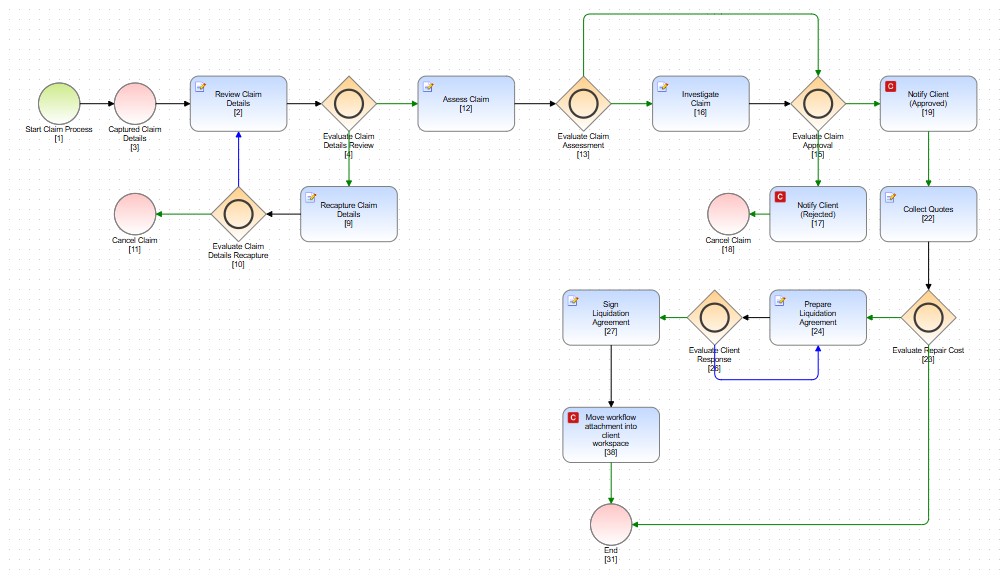
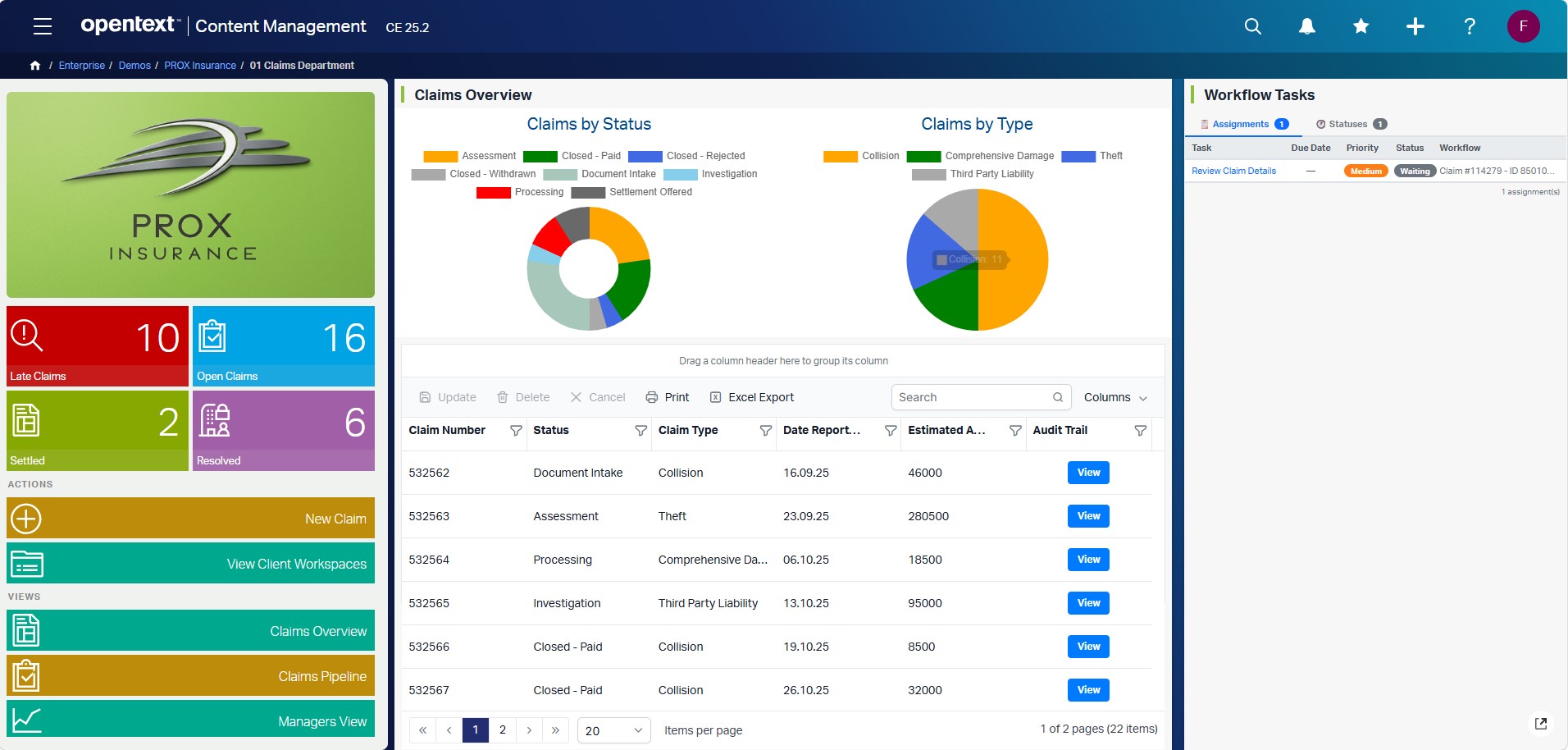
New Claim
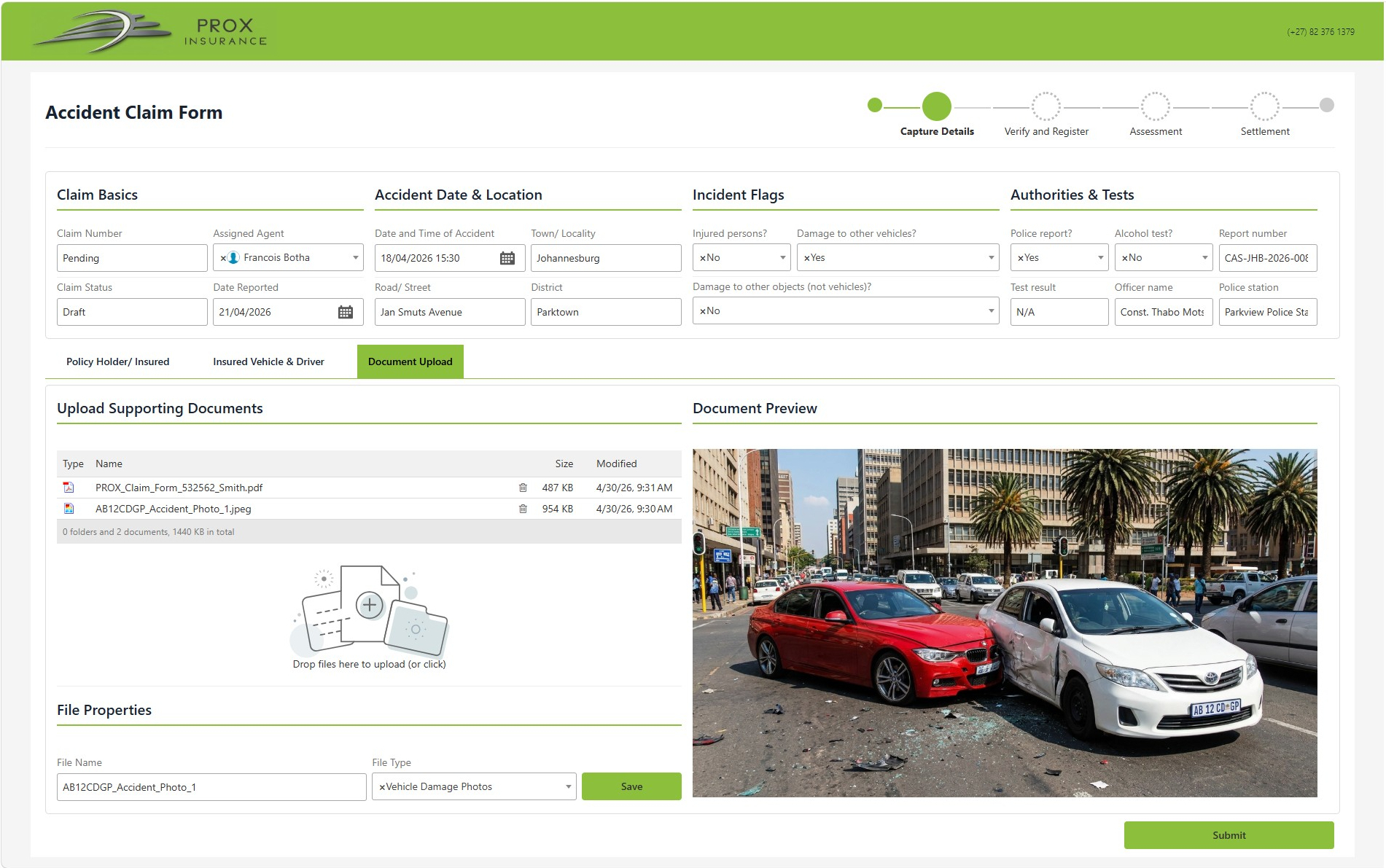
In a full solution an agent captures policy holder details, vehicle info, and documents. Click to see how that process looks.
Managers View
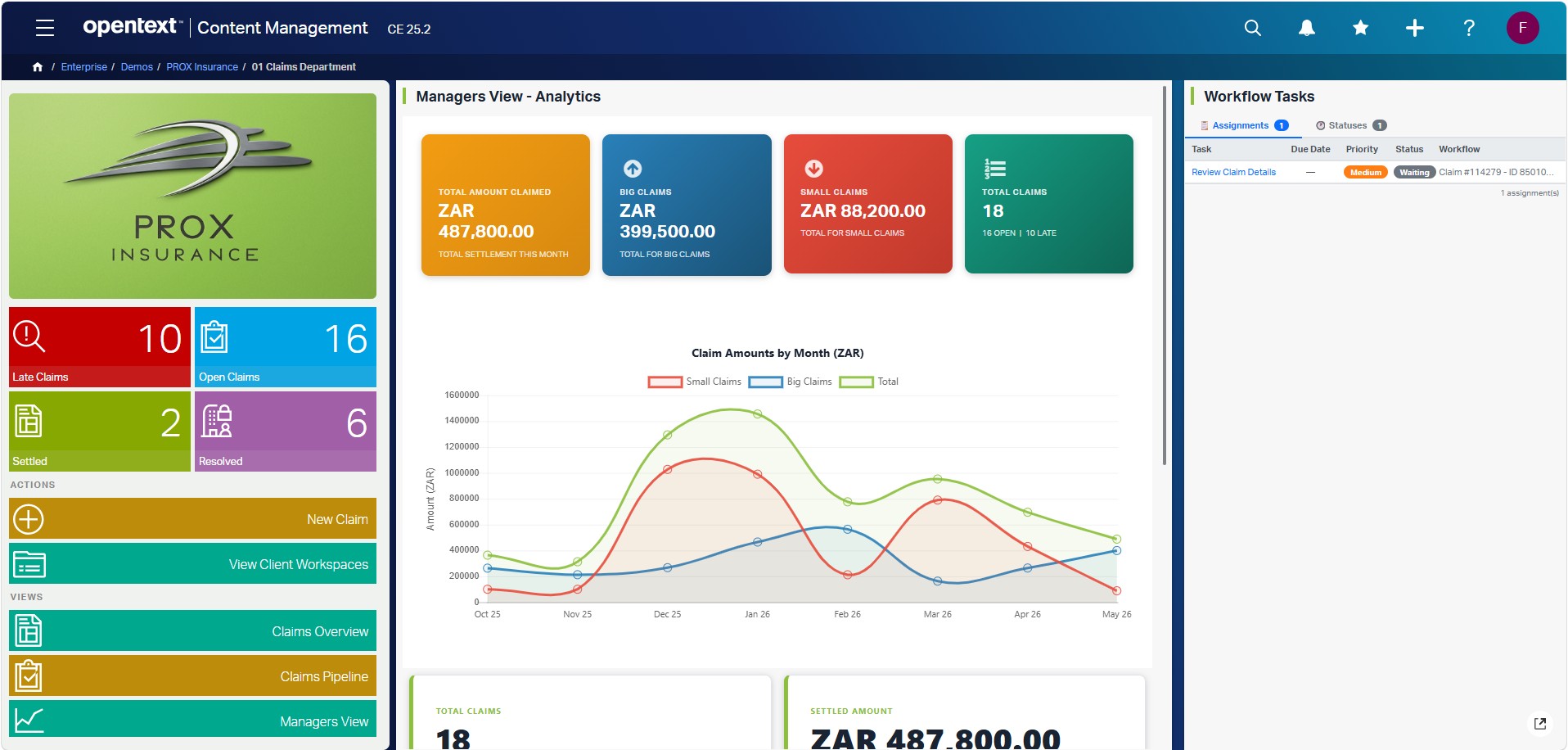
Shows how a management analytics dashboard looks — settlement totals, claim splits, and trend charts. Click to see the example.
Workflow Task
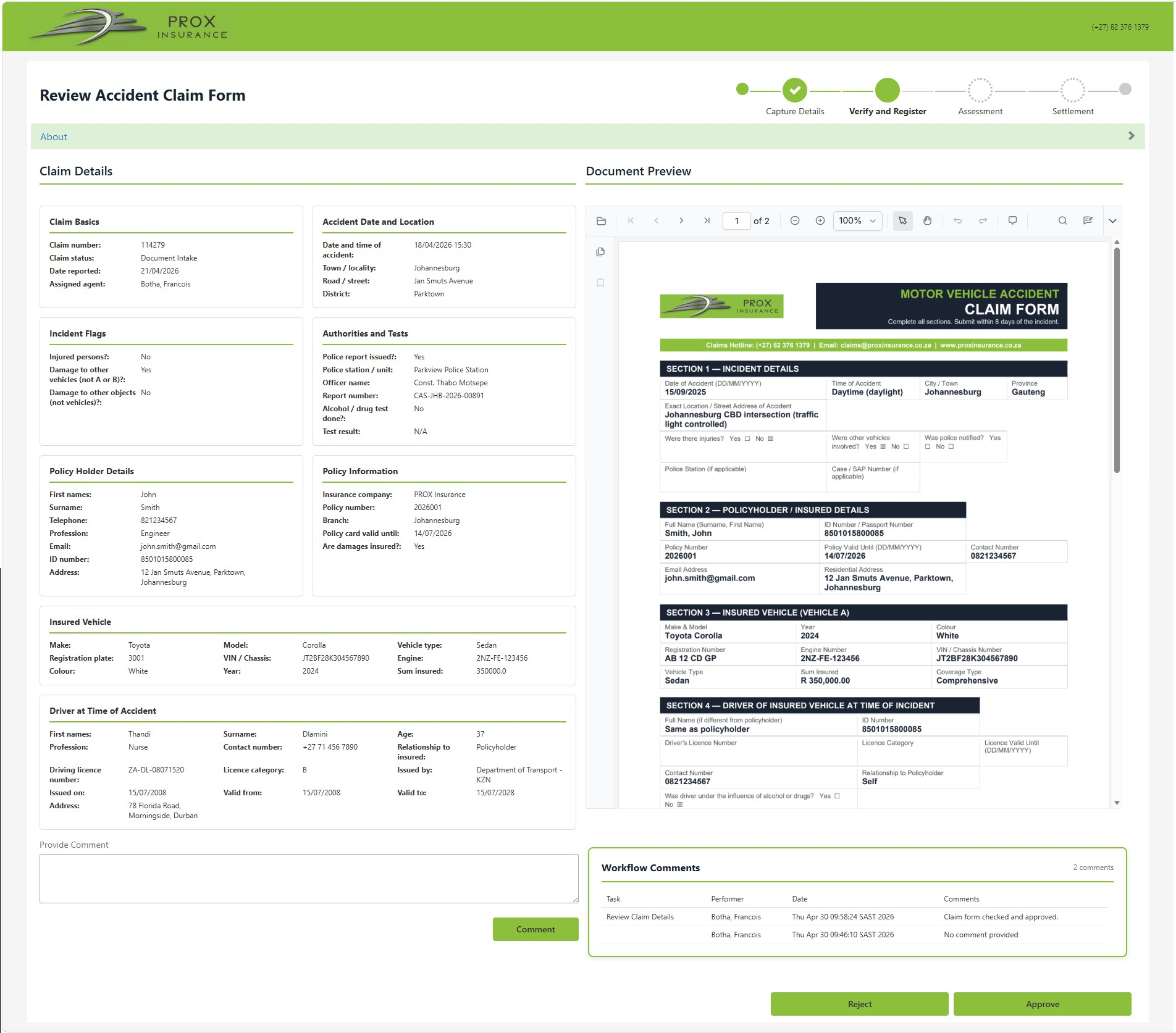
In a real deployment tasks route to the right person automatically. Click to see an example review screen.
Audit Trail
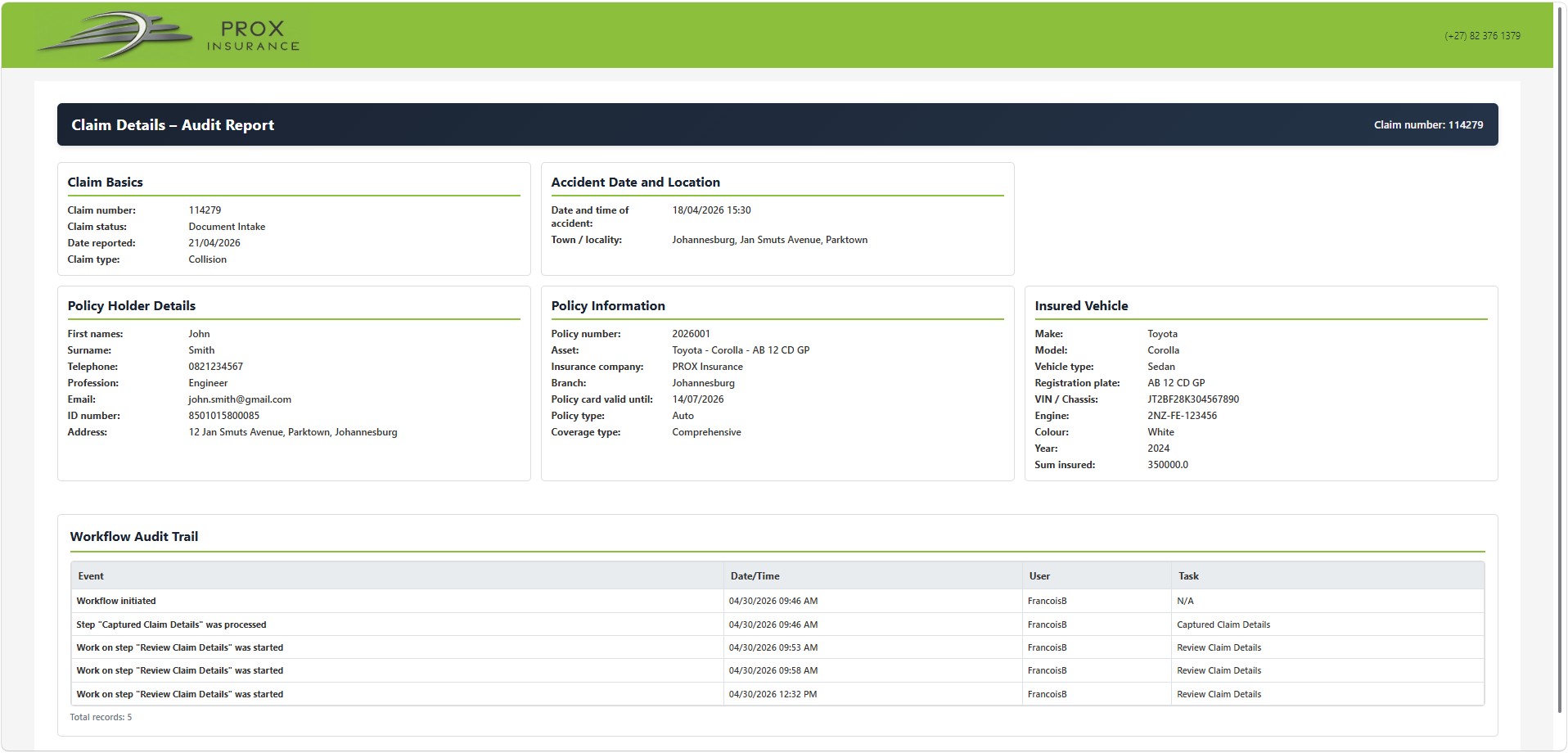
Every claim action is automatically logged. Click to see an example full audit report.
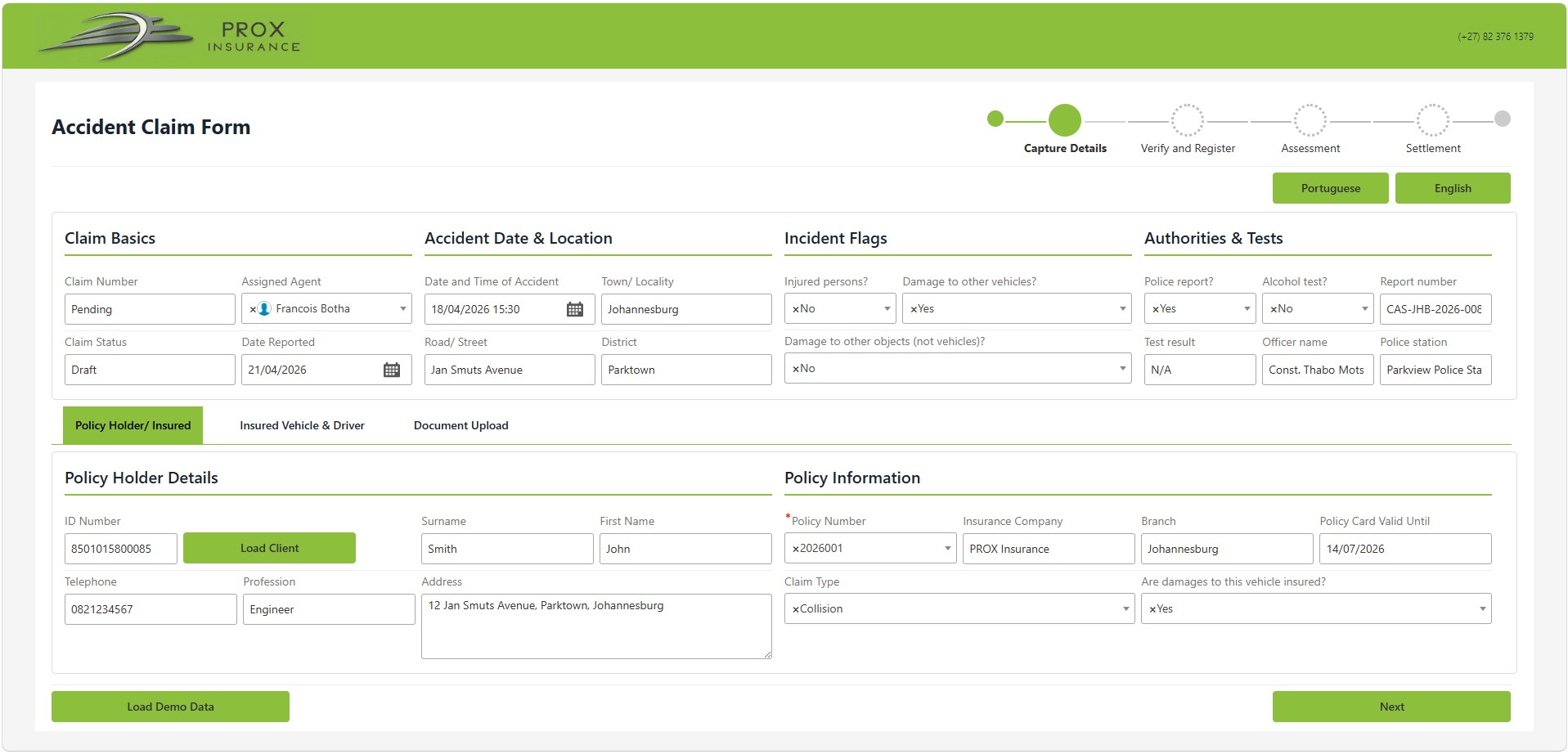
Next — Step 2 of 3
Proceeds to the vehicle and driver details capture screen.
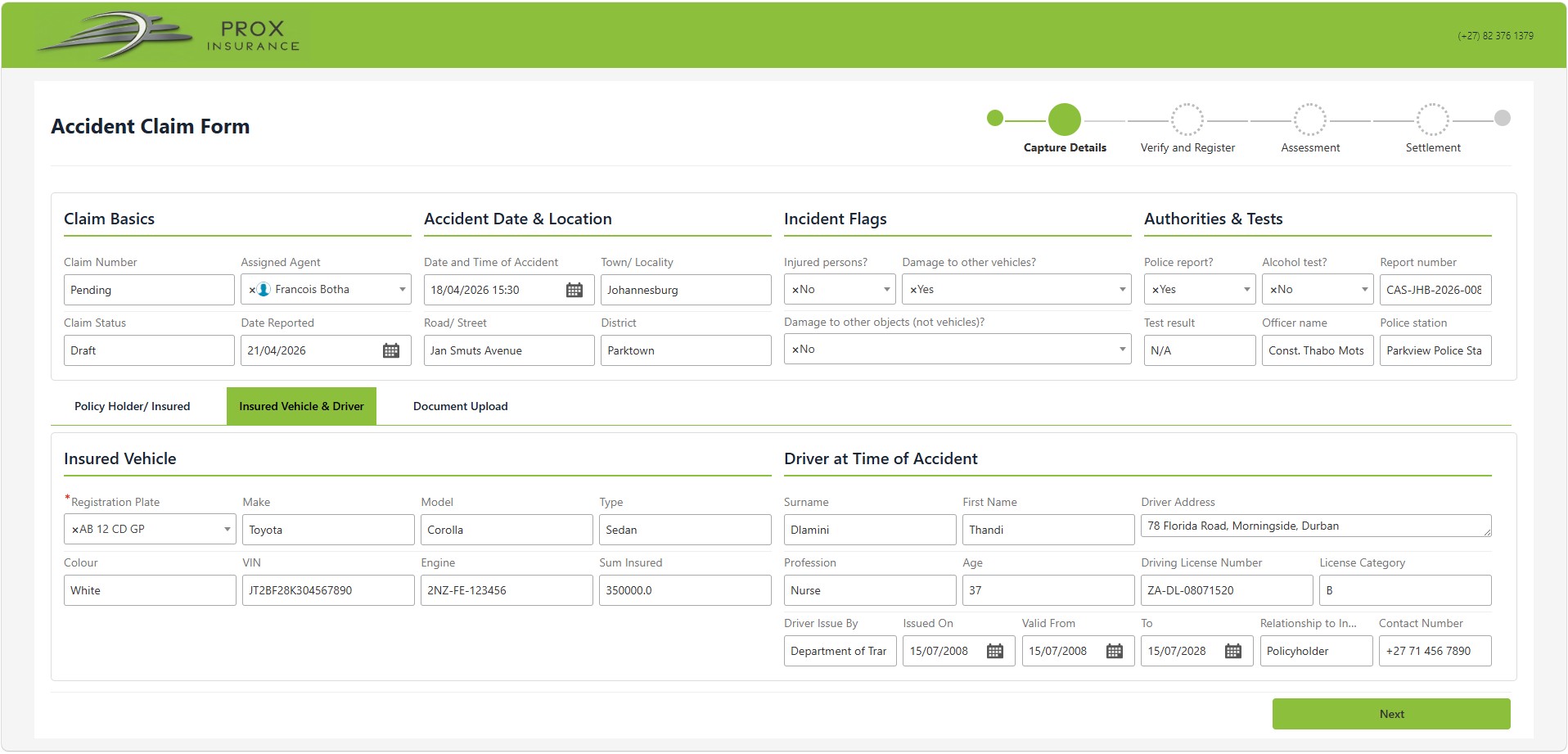
Next — Step 3 of 3
Proceeds to document upload where supporting files are attached to the claim.
Submit Claim
In a full solution this lodges the claim into the workflow — a workspace is created, documents stored, and the first task assigned automatically.
New Claim
In a full solution an agent captures policy holder details, vehicle info, and documents. Click to see how that process looks.
Managers View
You are currently viewing this screen. In a full solution this updates in real time from live claim data.
Workflow Task
In a real deployment tasks route to the right person automatically. Click to see an example review screen.
Reject
Routes the claim back for correction. In a full solution the claimant is notified automatically.
Approve
Advances to the Assessment stage. In a full solution the next task is assigned and status updates automatically.